
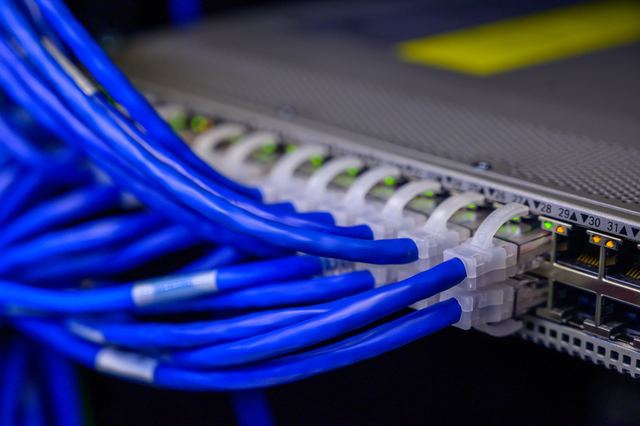
When a wired point beats Wi-Fi
Wi-Fi is fine for phones. It struggles with distance, brick walls and a house where everyone streams at once. A cable doesn't care about any of that.
The usual candidates are a home office, a TV or games console in a far room, a second Wi-Fi unit at the other end of the house, and security cameras. If you're renovating, that's the easiest moment of all, because the walls are open.
Plan your points before anyone drills
List the rooms and what plugs in
Desk, TV unit, console, a spot for a second Wi-Fi unit. Note how many cables each spot needs, because adding one later means opening the wall again.
Pick where the cables meet
Every run comes back to one spot, usually near where the internet comes into the house and the modem sits. A cupboard with a power point in it works well.
Put power beside every point
A data point without a power point next to it means a lead across the floor. Ask for both at each spot. The power point is the licensed part.
Add TV points while you're there
If antenna cable needs to reach other rooms, it can travel through the roof space with the data runs. TV antenna installation covers the antenna side.
Match the wall plates
Clipsal's 2000 Series includes TV, data and phone sockets, and Legrand's Excel range covers data, TV and phone outlets, so new points can match the light switches you already have.
Which part is licensed electrical work?
Electrical licensing laws are written around mains power, and some spell out that low voltage gear sits outside them. New South Wales doesn't count equipment running at no more than 50 volts AC as part of an electrical installation, and the ACT leaves telecommunications cabling and equipment at 90 volts AC or less out of its definition of electrical wiring work.
The power side is licensed everywhere. New power points, a circuit for a data cupboard and anything at the switchboard need a licensed electrician, and you get your state's certificate for that work: a CCEW in New South Wales, a COES in Victoria, an Electrical Safety Certificate in Western Australia or an eCoC in South Australia, for example.
We haven't covered the rules for the data cable itself on this page. Ask the electrician what registration they hold for cabling work, alongside their electrical licence number.
Drilling into walls that already carry power
The fiddly part of cabling an existing home is getting a cable down a finished wall without hitting anything. Walls carry mains cables to switches and power points, and a drill bit in the wrong spot can find a live one.
An electrician knows where power usually runs and how to keep data cable clear of it. Solid brick walls, tight roof spaces and two-storey homes take more planning, so mention them up front.
What you can set up, and what's licensed
You can
- Set up the modem, router and any plug-in Wi-Fi units yourself.
- Use patch leads (the short plug-in cables) between a wall point and your devices.
- Plug network gear into a power board, without chaining boards together or overloading them, which Ausgrid warns against.
- Mark each spot you want a point with tape on the wall before the electrician arrives.
Leave to a licensed electrician
- New or moved power points beside data and TV points.
- Power for a data cupboard, including any new circuit at the switchboard.
- Cutting into walls and ceilings where mains cables already run.
- Anything behind a switch plate, power point or switchboard cover.
What a good data cabling quote spells out
- How many points, in which rooms, and how many cables go to each.
- Where the cables meet and what goes there: a patch panel (a board where every cable ends), a small cabinet or plain wall points.
- Which power points are included, done by a licensed electrician.
- Which wall plates, and whether they match your switch range.
- Testing every run and labelling every point, so you know which cable is which.
- Who patches and paints around any new holes.
- The compliance certificate for the electrical part.
Finding the right electrician for it
Not every electrician does data work, and the ones who do it regularly tend to plan the runs better and leave fewer holes. Tell us how many points you're after and roughly where, and we'll match you with a licence-checked local electrician who does data and power in the same visit.

Our take
If anyone works from home, we'd put a wired point at the desk and another beside the TV before anything else, each with a power point, and run every cable back to where the internet comes in. Get it done in one visit, during a renovation if there's one coming, and ask for every point to be tested and labelled. That label is what saves you a headache in five years' time.
Want a specialist to sort it?
Tell us the job and your postcode. We match the licence-checked local electrician who does this kind of work, and they call you. No ring-around, and your number goes to them alone.